
Conference Recording
We record presentation theatres at conferences and events as a streamable, ready-to-use programme. The finished programme can also be streamed, with individual input recordings kept for later editing.
How a session is captured
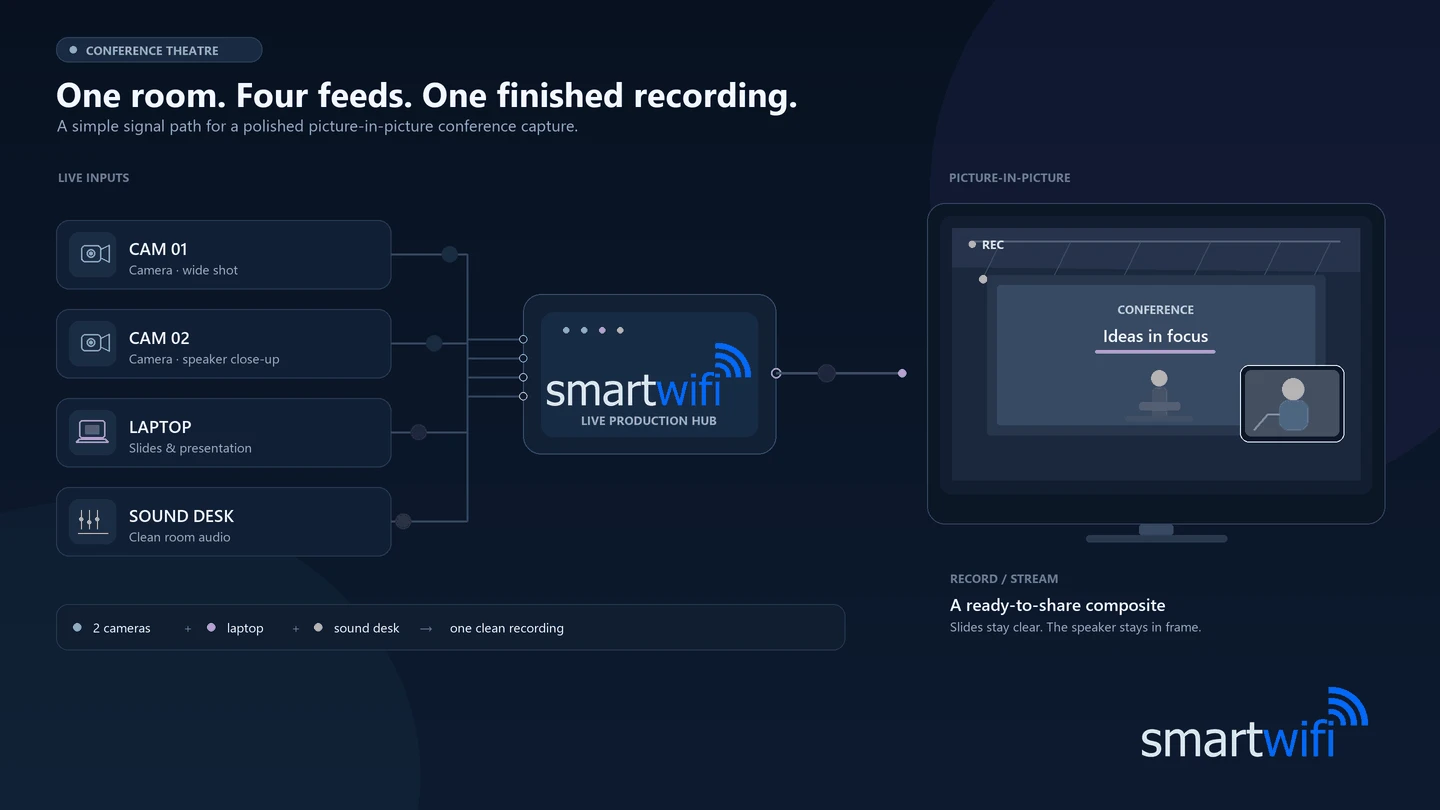
A typical theatre setup: two cameras, the presenter's laptop and a feed from the sound desk, mixed into one picture-in-picture recording. We can capture up to six video inputs and four channels of audio per room.
What you get
- Up to six video inputs, each from a camera or a presenter’s PowerPoint laptop.
- Four channels of audio.
- Picture-in-picture scenes on a client-branded background.
- A finished, mixed programme recording that can also be streamed.
- A backup ISO recording of every individual input for editing after the session.
A finished programme, with the inputs backed up
Our team builds a scene from the cameras and presenter laptops, for example showing the presenter and slides picture-in-picture over a client-branded background. We record the mixed programme and keep an ISO recording of each individual input.
Less crew, less cost, faster turnaround
Recording a conference usually means a vision mixer, camera operators and separate recording kit in every room. Our setup is built to do the same job with far less. One compact system records the finished picture-in-picture programme and every individual input at the same time, so you are not paying for a large technical team to install, operate and monitor it.
Two recordings from one system
We record the composite picture-in-picture programme and a separate ISO recording of every input. You get a finished session ready to share, plus the raw sources if you ever want to re-edit.
A small crew, not a production team
The system is quick to install and simple to run, so it does not need a large number of technicians to set up, operate and monitor the recordings across your theatres.
Finished recordings the next day
Composite recordings are topped and tailed and uploaded the day after your event. If you would rather take them with you, we can hand them over at the end of the event instead.
How it works
Step 1
Capture the theatre
We capture the video inputs in the presentation theatre, along with four channels of audio.
Step 2
Build and brand the scene
We combine the inputs into a scene, such as the presenter and slides in picture-in-picture over a client-branded background.
Step 3
Receive the recordings
Composite recordings are topped and tailed and uploaded the next day, or handed over at the end of the event if you prefer. The individual input recordings are kept for any later editing.


Collecting speaker files too? Handover pairs with Conference Recording for conferences.